While this specific setup only works on macOS because it uses TextSniper, there are probably similar OCR tools for both Windows and Linux.
Introduction
I’ve been searching for suitable reading material in Mandarin Chinese for the longest time to no avail: reading material always felt either too easy or too difficult. That changed, however, when I discovered manga translated into Chinese.
Manga, in my opinion, is one of the best mediums for language learners: It combines imagery, typically found only in children’s books, with more nuanced subjects targeting older audiences. Readers can benefit from visual context while avoiding banal themes that makes supposedly easy content paradoxically inaccessible.
However, there is one glaring issue: text isn’t readily accessible because of the image-based format. For non-Latin scripts, this makes the lookup process especially painful. Fortunately, TextSniper solves this problem by utilizing OCR. With the press of a hotkey, ⌘+Shift+2 by default, you can effortlessly extract text directly to your clipboard.
Of course, simply copying text to your clipboard isn’t enough. That’s when Migaku comes in: Migaku automatically retrieves the text from your clipboard and overlays its various functions, which include word tracking, definitions, sentence breakdowns, etc.
Two of my favorite Migaku features are sentence decomposition and context-aware explanations. Sentence decomposition is especially useful for languages that don’t use spaces to denote word boundaries like Chinese and Japanese. Context-aware explanations for characters and words serve as a dictionary on steroids that can provide precise definitions even in nuanced situations. It even works with neologisms that may not even be in the dictionary!
Tools and Resources
-
Migaku via Google Chrome extensions
-
TextSniper (macOS Only)
Examples
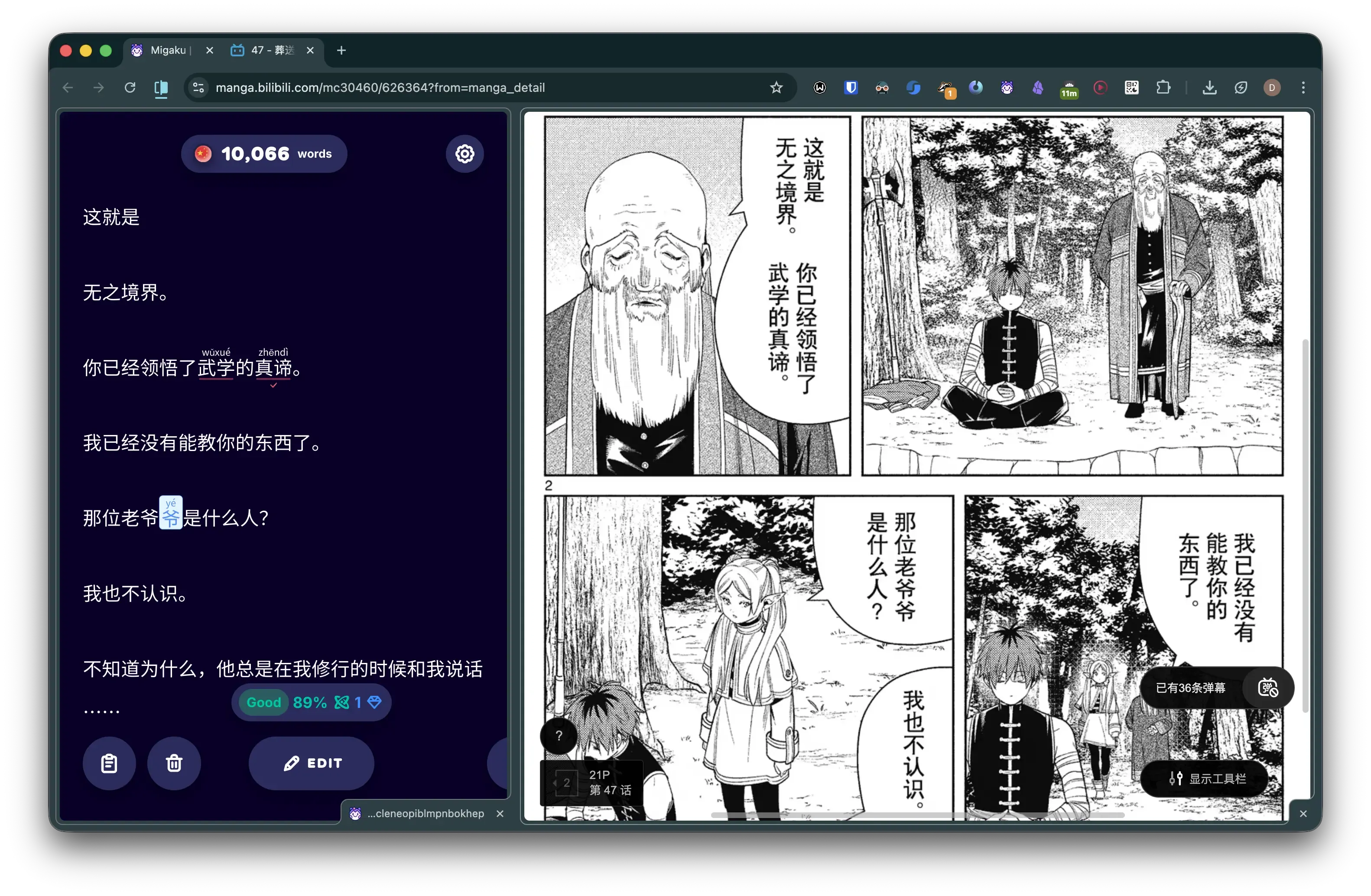 Screenshot of Migaku’s clipboard next to manga (Frieren: Beyond Journey’s End)
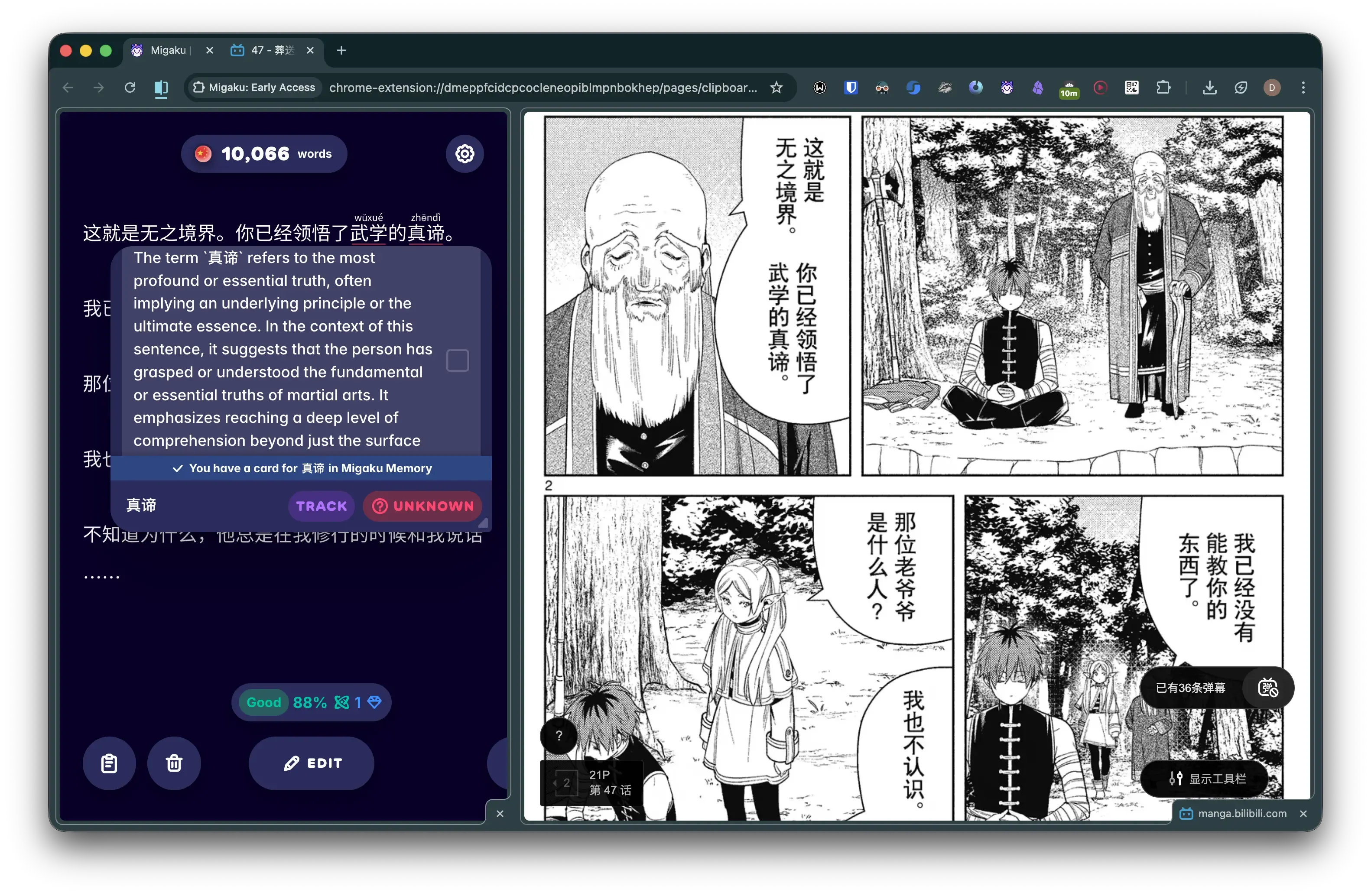 Screenshot of context-aware AI explanation through Migaku
Setup
TextSniper: This is pretty much plug-and-play. Just be sure to set “Recognition Language” to Chinese in the settings to handle the vertical text found in manga. The hotkey to capture text can also be changed to your preference.
Migaku: The app (Chrome extension) has a lot of functions, but the most important ones in this case are the clipboard and flashcard system (either Migaku Memory or Anki). With just these two, you are able to capture text and new words from the source material and drill them into memory using the SRS (spaced repetition system). Migaku does require a subscription, but there are free alternatives if you search around.
Manga Sources: I’ve found the best source for manga translated to Simplified Chinese to be through Bilibili (哔哩哔哩). Using the iOS App Store, you can purchase manga directly without a Chinese phone number or bank account. You can buy 560 coins for $1, with chapters ranging from 79 to 149 coins. You can also sign up for a membership that gives you 480 “tickets” annually that you can exchange for chapters at the rate of 1-3 tickets each. Do keep in mind that these tickets expire every month. Of course, since we are using OCR, any manga source works.
Chrome: Migaku only works on Chromium-based browsers with official support for Google Chrome. I’ve been using Chrome’s new Split View feature to combine two tabs as in the screenshots.